What a business website should include: the checklist
What should a business website include? First of all, the answers to four questions the person looking for you is asking: what you do, where you work, roughly how much it costs and how to reach you. Everything else (the photos, the team, the FAQ, the legal pages) helps them trust you and call you, not the next one on the list.
Below is the list, in the order a client looks for these things. It's written mainly for businesses with clients in one city or area (trades, salons, practices). You can use it to check a website you already have or the quotes you've received.
1. The home page: what you do, where and how to reach you
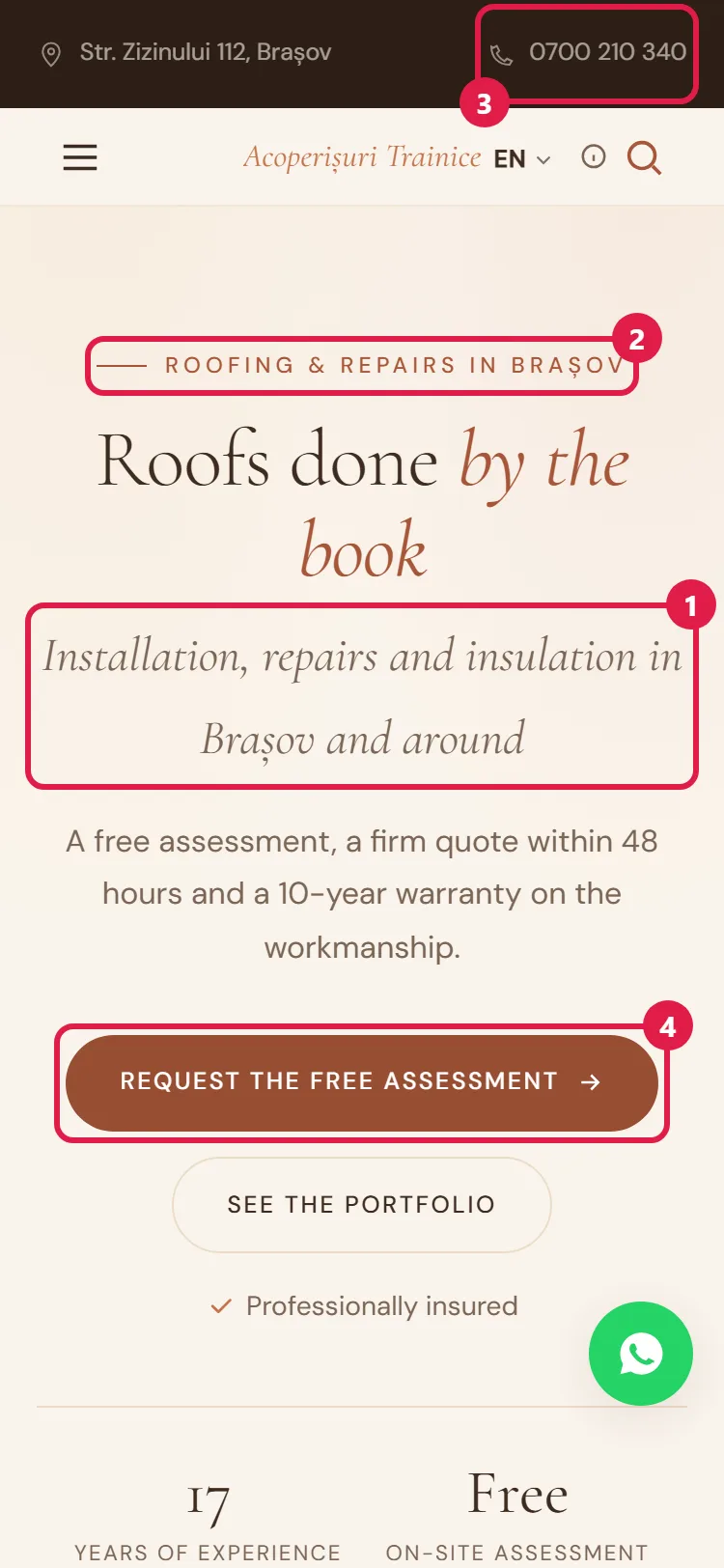
The person who lands on your website wants to find out quickly if they've come to the right place. The first screen (the one they see without scrolling) needs three things:
- one sentence about what you do, in the client's words: "Plumber in Cluj-Napoca, same-day call-outs", not "Complete solutions for your comfort";
- the area or city, so someone from another city doesn't call you for nothing;
- a button or a phone number that starts a call when tapped on a phone.
If the first screen only shows the business name and a nice photo, people have to guess the rest. Many don't guess: they go back to the search results.
2. Services, with approximate prices
The list of services is usually among the most-read pages. For each service:
- the name the client uses ("unclogging a drain", not "sewer network interventions");
- two or three lines about what it includes;
- an approximate price, even a "from" price, with the reason it varies ("depending on the pipe route", "depending on the boiler type") and what the minimum price includes.
A written price saves you a lot of calls that start with "how much will it cost me?" and brings in the people who are actually willing to pay. If you'd rather not show prices, at least write how the price is set and how a client can ask you for an estimate.
3. Contact details, in plain sight on every page
Few people dig through three pages for your phone number. On a business website, the contact details appear:
- at the top, in the header (the phone number, which starts a call with one tap);
- at the bottom, in the footer of every page: phone, email, address, hours;
- on a contact page with a map (if clients come to you) or the area you work in, your real hours (including holiday hours) and a short form. Name, phone and message are enough; a form with ten fields often gets abandoned.
If you're often out on jobs and can't answer, a form or a WhatsApp button gives people a way to leave you a message, instead of calling someone else.
4. Proof that you're reliable
Between two tradespeople with similar prices, the client picks the one who seems more trustworthy. On a website, trust comes from concrete things:
- real photos: work you've done, the place where you work, the team. Phone photos, sharp and well lit, say more about you than stock photos of people who don't work for you;
- licenses and certifications, where the trade requires them (for example, the ANRE license, from the energy regulator, for gas fitters and electricians, or the professional body's approval for medical and dental practices);
- client reviews, with a link to your business profile on Google Maps, where anyone can check them;
- a few lines about you: how long you've been working, how you work, why someone would choose you.
Don't make up anything on this list. A fake review or a license that doesn't exist costs you the trust of the first client who checks.
5. The questions you hear every day
Think about what people ask you on the phone: where to park, how to pay, how long it takes, whether you also come on Saturdays. A page or section with frequently asked questions answers them once, for everyone. As a bonus, these are often the very questions people type into Google.
6. Business details and legal pages
A business website in Romania shows who owns it: the company name, the CUI (tax identification number), the Trade Register number, the registered office and the contact details, usually in the footer or on the contact page. For an SRL (limited liability company), the share capital is added too. If you work with consumers, the SAL badge (alternative dispute resolution) from ANPC (the consumer protection authority) goes there as well. On top of all that, the website needs:
- a privacy policy (on practically any website; mandatory if you have a contact or booking form, which means you collect names and phone numbers);
- a cookie policy and the consent banner, if you use visitor statistics or put things from others on the website (a Google map, YouTube videos);
- the conditions for bookings, payments or orders, if you take them through the website (usually, on a terms page).
This copy isn't taken from another website: they have to describe what your website does, with your business details. In detail: What a website legally needs.
7. The technical side for Google
You don't see this part, but it helps Google understand what the website is about:
- a title and a description for each page, written for people, with what you do and where;
- clear addresses (
/services/drain-unclogging/, not/page?id=27); - your business details in the format Google reads (name, address, phone, hours), identical to the ones on your Google Maps business profile;
- good speed and display on phones, because many of your clients will visit the website from their phone, on the go.
A technically well-built website doesn't guarantee first place on Google (no one can guarantee that), but a poorly built one can keep you out of the search results.
8. A simple way to keep the website up to date
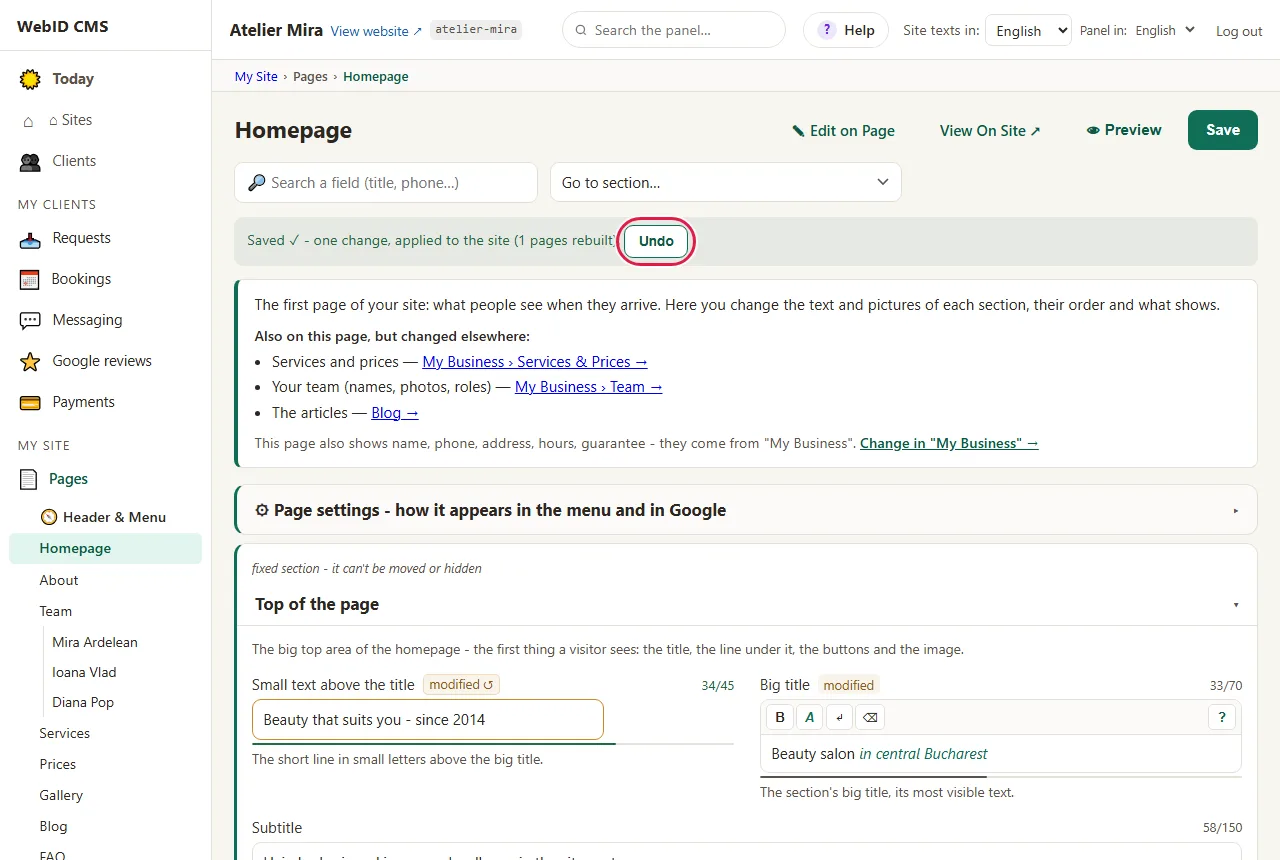
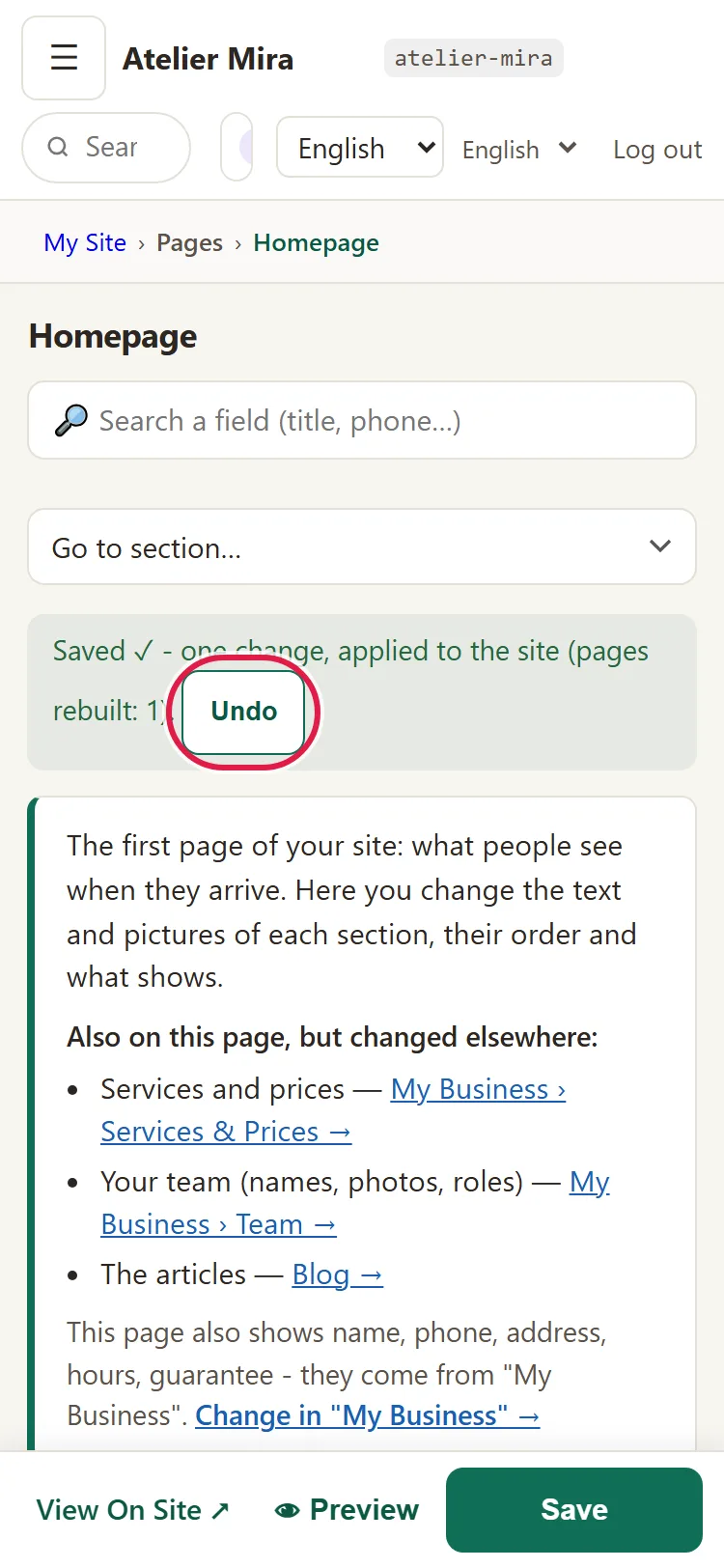
A website with prices from two years ago or summer hours in December does more harm than good. Before you choose who builds it, ask: can I change a price, a photo or the holiday hours myself? How much does it cost if I want someone else to change them? What happens to the website if I want to move to another company?
What to leave out
Some things look good, but they keep people away from the phone:
- generic copy ("we are leaders", "quality and professionalism"), which says nothing about you;
- empty pages or "under construction" pages;
- a five-photo carousel on the first screen, which pushes the useful information down;
- pop-ups on arrival asking people to subscribe to a newsletter before they even know what you do;
- a blog started and abandoned, with the last post from 2021. Better no blog than one that shows you're no longer active.
The checklist
- [ ] The first screen says what you do, where, and has a phone number that starts a call when tapped.
- [ ] Each service has a clear name, a few lines and an approximate price (or how the price is set).
- [ ] The phone number is in the header, and the phone and email are in the footer and on the contact page.
- [ ] The contact page has a map (or the area you work in), your real hours and a short form.
- [ ] Your business is on Google Maps, with the same name, address, phone and hours as on the website.
- [ ] The photos are yours: work, place, team.
- [ ] Licenses and client reviews are in plain sight, with a link to Google.
- [ ] You have a section with the questions you hear every day.
- [ ] The business details (company name, CUI, Trade Register number, registered office) appear on the website.
- [ ] You have the legal pages that match what your website does (form, statistics, bookings): privacy, cookies, terms.
- [ ] Each page has its own title and description, and the website opens quickly on a phone.
- [ ] You can change the prices, photos and hours yourself.
- [ ] You have no generic copy, empty pages or abandoned blog.