How to use the admin panel in another language, for you or your colleagues
If you or a colleague (at the front desk, a specialist from abroad) work more easily in English, the admin panel can be used in English. You make the change from a list and it doesn't touch your website: your clients see it just as before.
Romanian and English are included, at no cost. If a colleague prefers Hungarian or another language, we translate the admin panel into that language too, once. What it includes and what it costs is on Multilingual website, in the "Admin panel in another language" row (€29 per language).
How to switch the admin panel to English
- In the admin panel's header, at the top right, open the Panel in: list (Panoul în: while the admin panel is in Romanian). If you hover over it, you see "Admin interface language (menus, buttons). It does not change your site language."
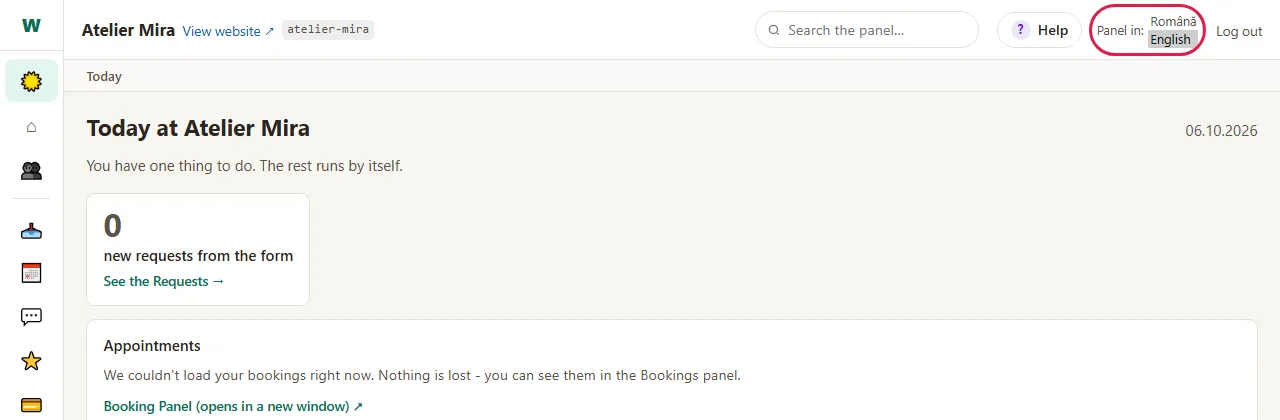
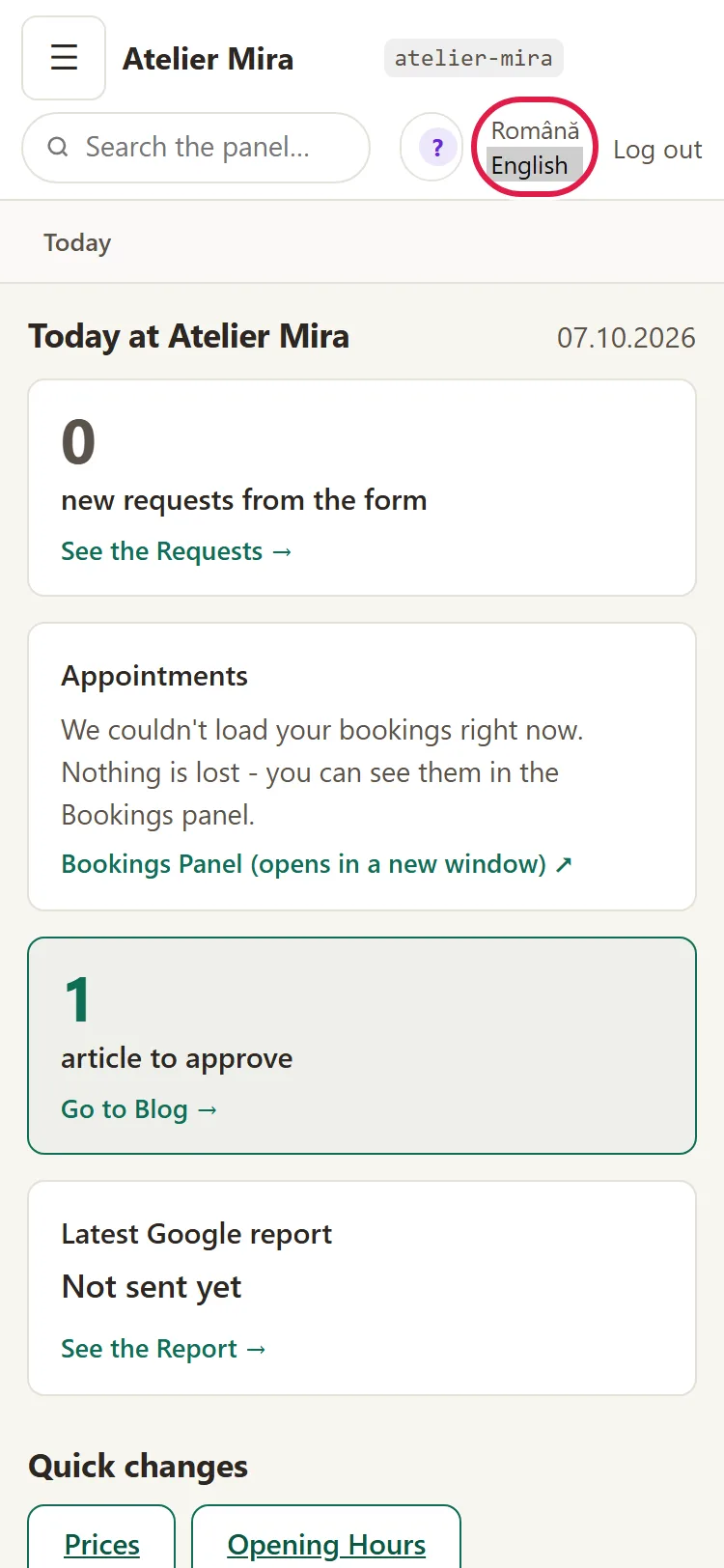
- Choose English. The page reloads in English: the menus, the buttons, the explanations, the help (the Ajutor button becomes Help) and the field names. A few messages stay in Romanian (see "What it doesn't do").
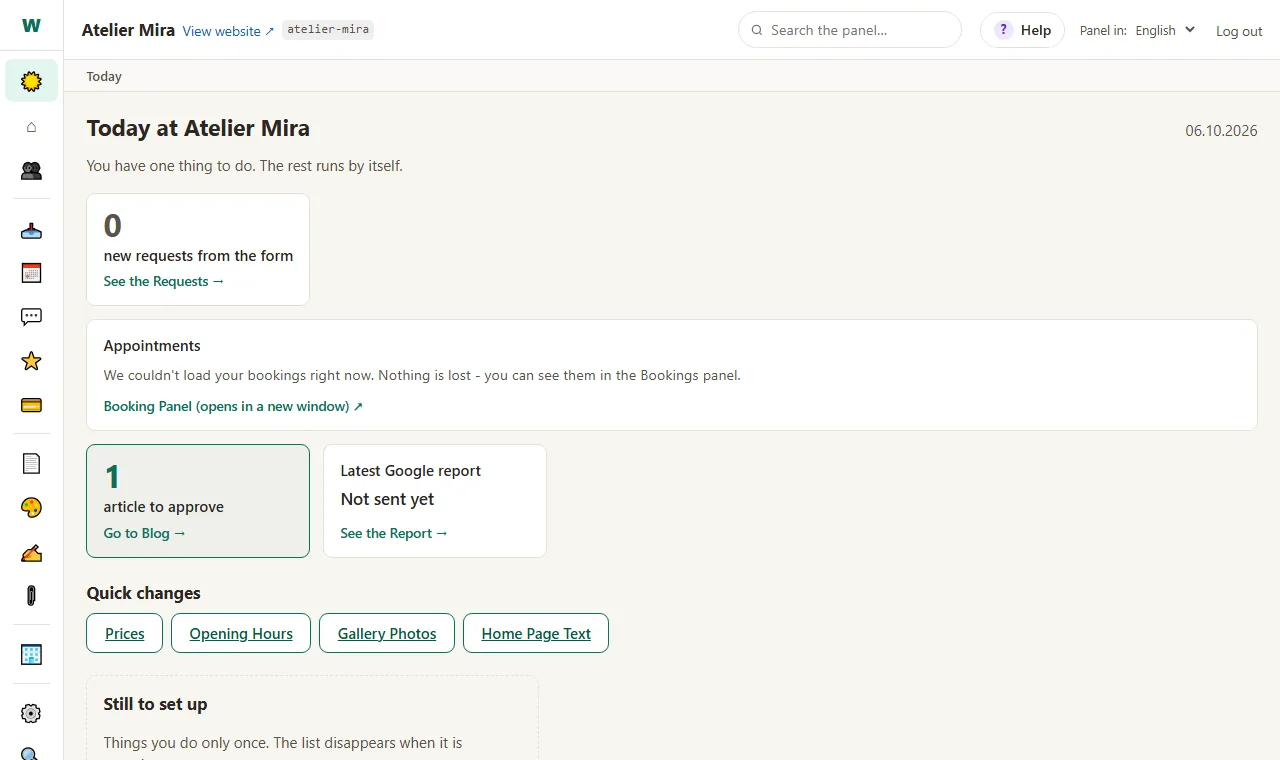
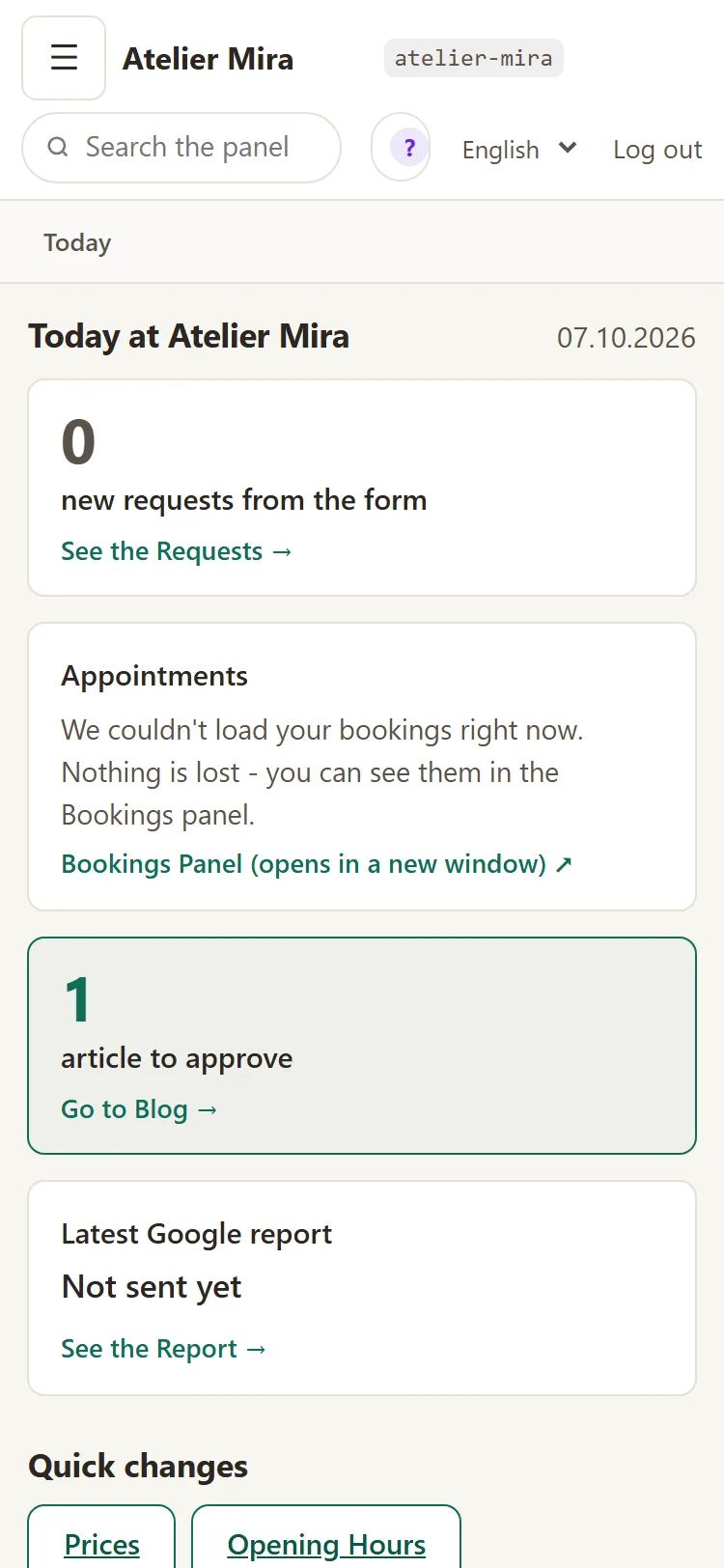
To go back to Romanian, choose Română from the same list.
How your colleagues work, each in their own language
Your colleagues need their own account in the admin panel, which you create under Users (see How to bring your colleagues into the admin panel).
The choice stays saved for a year in the browser where you made it. It isn't tied to your account, but to the browser.
- Each colleague signs in to the admin panel from their own phone or desktop.
- They choose their language from Panel in:.
- On another phone or in another browser, the admin panel starts in Romanian again and the language has to be chosen again.
How to tell the admin panel language from the text language
If your website has several languages, on Pages you see two lists in the header showing "Română":
- Site texts in: chooses the language of the texts you change on your website;
- Panel in: chooses the language of the admin panel's menus and buttons.
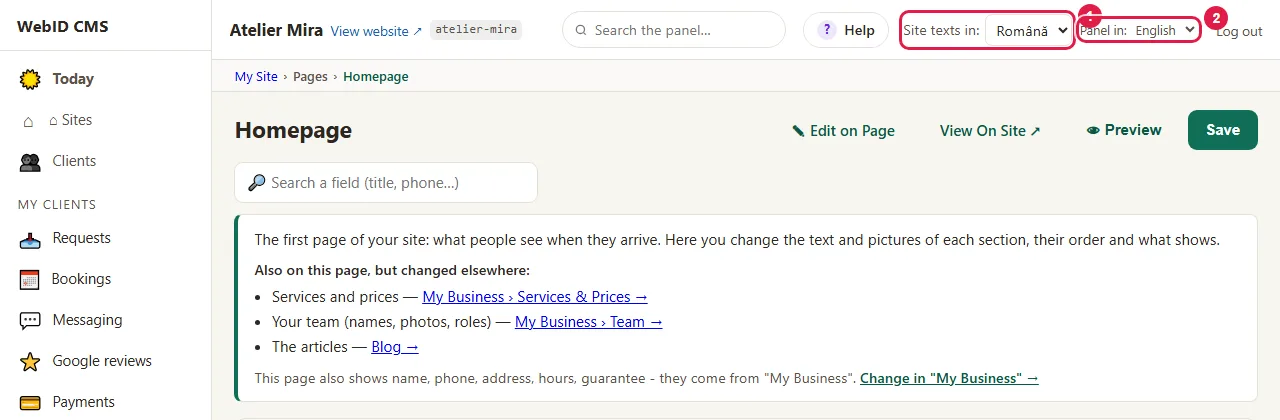
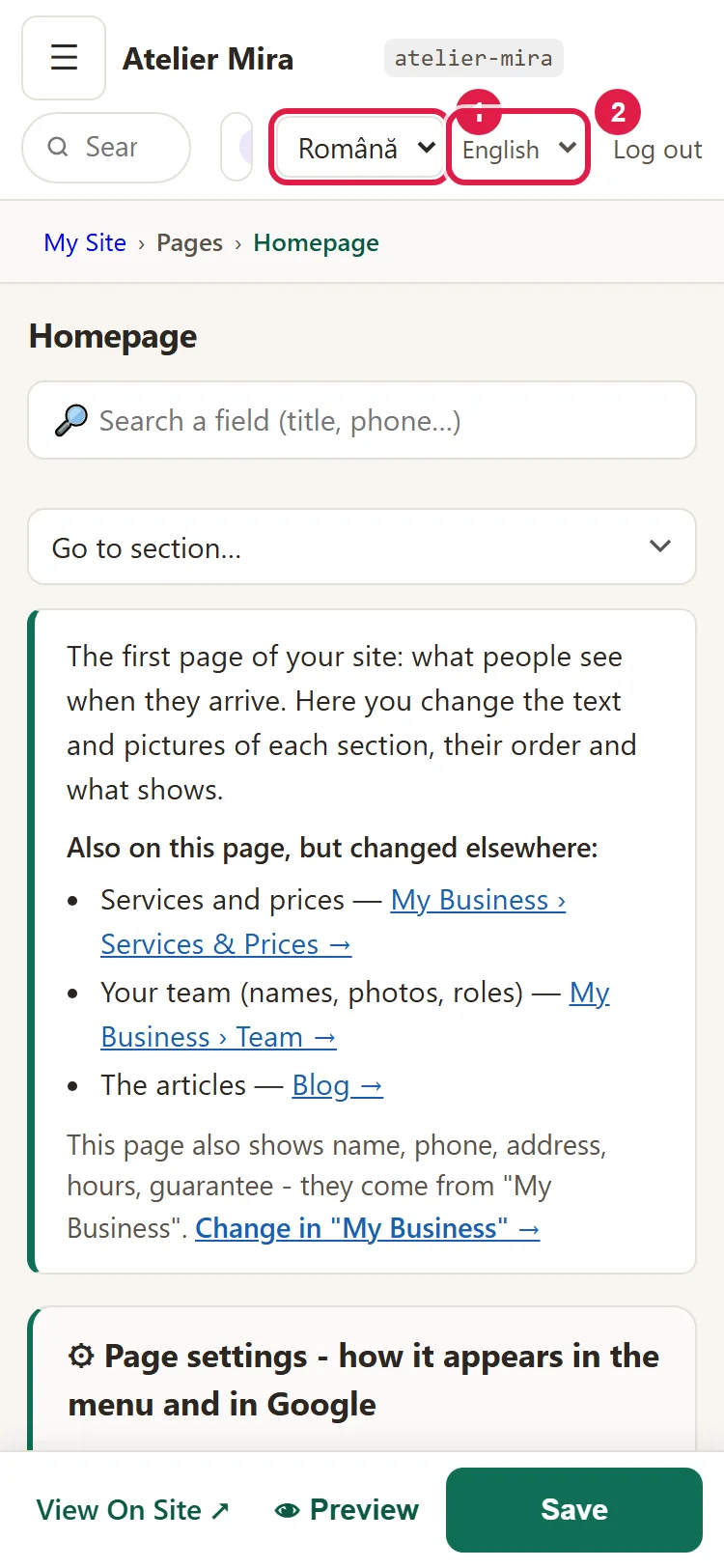
Each list says what it changes. You can work, for example, with the admin panel in English and the texts in Romanian.
How to get the admin panel in a third language
- In the admin panel, open "My Account › What else you can add" and, on the card for the admin panel in another language, choose how many languages you want on top of Romanian and English (from one to five). Click Add to Cart, then pay for the order. The steps are in How to add a new add-on to your website. What it includes and what it costs is on Multilingual website.
- We translate the admin panel once and check that no text is missing. The messages that appear in Romanian when the admin panel is in English stay in Romanian in the new language too.
- The language then appears in the Panel in: list, alongside Romanian and English.
Common problems
- "The admin panel went back to Romanian." You signed in from another browser or cleared your browser data. Choose the language again from Panel in:.
- "The admin panel is in English, but some messages are in Romanian." A few messages are written only in Romanian. Write to us at contact@webid.ro where you saw them and we'll translate them.
- "I switched the admin panel to English and the website is still in Romanian." That's how it should be: the admin panel language doesn't change your website. For your website in another language, see How to show your website in another language too.
- "Something else isn't working." Write to us at contact@webid.ro with what you see on the screen and we'll take a look.
What it doesn't do
- It doesn't change your website's language and doesn't translate your texts: service names, articles and descriptions stay as you wrote them.
- It doesn't keep the language on your account, but on the browser. On a new phone or in another browser you choose it again.
- The calendar in the admin panel, where you pick a date, stays in your website's main language.
- Some messages appear in Romanian even when the admin panel is in English, for example for payments and for your website's languages.
- The admin panel's English is adapted, not translated word for word: a button may have a different name than its exact translation.
What data it uses
The admin panel language is remembered in your browser, with two technical cookies valid for a year: the language code and a sign that you chose it yourself, with no personal data. Only the admin panel sets them, not the public website. Details in the Cookie Policy, under "Admin panel".